Introducing Bucketeer Lite – Run Anywhere with Docker Compose

Bucketeer has always been a powerful open-source platform for feature flag management and A/B testing.
But until now, self-hosting Bucketeer required Google Cloud services like BigQuery and Pub/Sub. That meant local testing was difficult, and teams who preferred to host outside GCP had limited options.
With Bucketeer Lite, we're changing that.
Now you can run Bucketeer in just a few minutes using Docker Compose, with Redis Streams for pub/sub and MySQL for data storage.
No GCP required — just Docker, MySQL, and Redis.
Why This Matters
This release opens up Bucketeer to a much wider audience:
- Open-source contributors can run Bucketeer locally in minutes.
- Engineering teams can try Bucketeer before committing to cloud infrastructure.
- Organizations can self-host in any environment that supports Docker, MySQL, and Redis.
In short, Bucketeer Lite makes it easier than ever to evaluate, adopt, and contribute to Bucketeer.
What Changed
Previously, Bucketeer relied on GCP services:
- Google Pub/Sub for messaging
- BigQuery for data warehousing
This created friction for developers who wanted to experiment locally or deploy in their own infrastructure.
Now, with Bucketeer Lite:
- Redis Streams replace Google Pub/Sub
- MySQL replaces BigQuery
- All services are bundled into a Docker Compose stack
Side-by-Side Comparison
| Aspect | Before (GCP only) | Now (Bucketeer Lite) |
|---|---|---|
| Pub/Sub | Google Pub/Sub | Redis Streams |
| Data Warehouse | BigQuery | MySQL |
| Setup | GCP project, IAM, configs | make docker-compose-up |
| Hosting | GCP only | Any platform with Docker |
Architecture
Under the hood, Bucketeer Lite runs the same core services as the full Bucketeer stack, but simplified for Docker Compose:
- NGINX Reverse Proxy – terminates HTTPS, handles routing, and exposes ports 80/443.
- Bucketeer Services – Web, API, Batch, Subscriber, and Migration services communicate internally over gRPC secured with TLS.
- MySQL and Redis – MySQL stores data, while Redis provides caching and pub/sub via Redis Streams.
All communication between services is secured with TLS, and Nginx provides a production-like entrypoint even in local setups.
Getting Started in Minutes
With Docker and Docker Compose installed, bring up Bucketeer Lite in a few commands:
git clone https://github.com/bucketeer-io/bucketeer
make docker-compose-up
Once running
Before opening the Admin Console, add the following entry to your /etc/hosts file:
127.0.0.1 web-gateway.bucketeer.io
127.0.0.1 api-gateway.bucketeer.io
This is required for the Admin Console domain.
The API Gateway also works via http://localhost and doesn’t need a hosts entry.
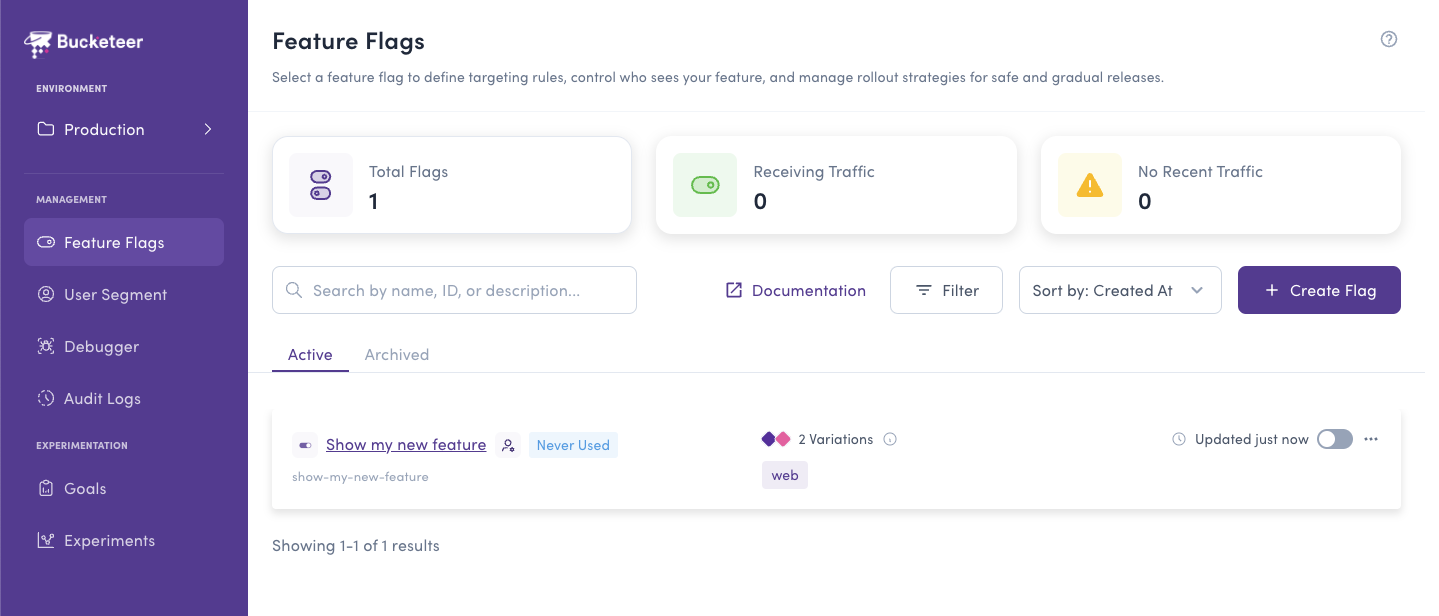
- Admin Console → https://web-gateway.bucketeer.io (requires hosts file entry)
- API Gateway → http://localhost (easiest for local dev)
- API Gateway (alternative) → https://api-gateway.bucketeer.io (requires hosts file entry)
That's it — Bucketeer is live locally! 🎉
Example Workflow
After launching Bucketeer Lite, you can:
- Open the Admin Console and create a feature flag.
- Use one of the client SDKs to connect to the local API gateway (http://localhost).
- Evaluate the flag directly in your app.
This makes it possible to develop and test with real feature flags locally, without depending on cloud infrastructure.
What's Next
We're not stopping here. In the next semester, we'll add PostgreSQL support for both:
- The console database
- The big data/analytics layer
This will give teams even more flexibility and performance improvements, especially for those already standardizing on PostgreSQL in production.
Try Bucketeer Lite Today
Bucketeer Lite is ready for you to try — running locally only takes a few minutes with Docker Compose.